Murder Is Game Over
Solve a spooky murder mystery. With a dog.

Solve a spooky murder mystery. With a dog.
About the game
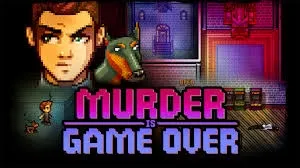
A fabulously wealthy game designer is found dead outside a castle in rural Vermont, and soon evidence shows that this was not merely a freak accident attributed to local superstition. Now it's up to you to investigate and apprehend the guilty. Play as unlikely partners -- ace sleuth Detective Guy and Cleo the clue-sniffing dog to explore the castle grounds, search for clues, and question suspects. Can you solve the case?
Official store
Trusted. Transparent. Reliable.
Secure payment
Only verified payments methods
To activate a CD key on Steam, follow these steps:
If you encounter any issues during activation, please see this Retail CD Keys article for more info. If problems persist, you may contact Xsolla Customer Support at Xsolla Help Center.
Interface: English, German, French, Russian, Simplified Chinese
Full Audio: N/A
Subtitles: : English, German, French, Russian, Simplified Chinese
If you have any issues with your purchase, please email us at support@xsolla.com or simply click on the customer support button located on the bottom left of the homepage to start a live chat. In rare cases, it may take up to a few minutes for emails from Xsolla Mall to deliver.